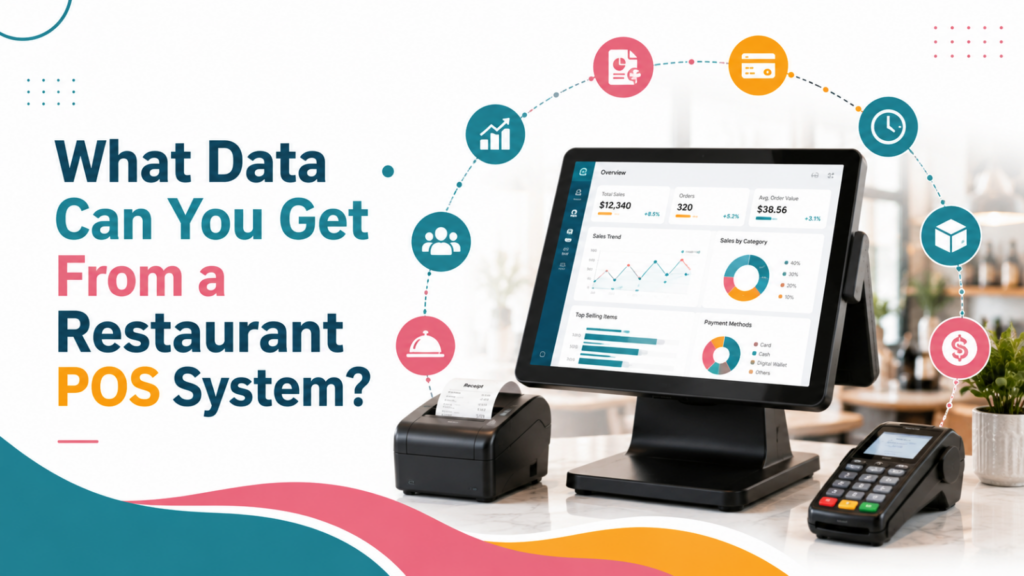

A modern restaurant POS system goes beyond processing payments. These systems gather data about sales, customers, menu items, employees, inventory, and daily operations.
Understanding what data a restaurant POS system can provide helps restaurant owners and managers to make informed decisions, improve operational efficiency, and increase profitability.
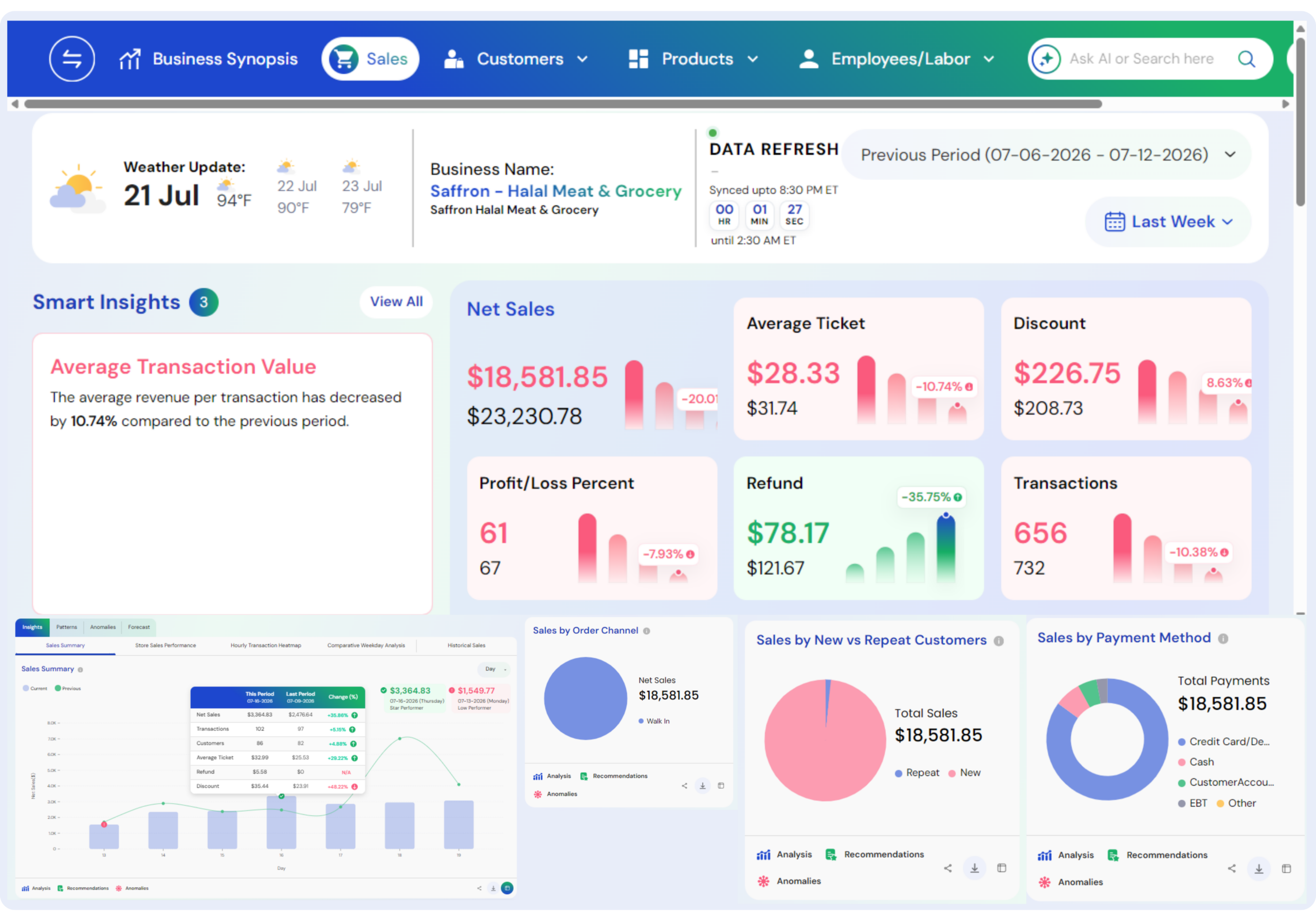
One of the important types of data that POS systems provide is restaurant sales data. A POS system tracks total sales, transaction volume, average order value, payment methods, discounts, refunds, and sales by time period.
These systems help restaurants to find best-selling menu items, slow-selling items, peak sales hours, that helps restaurants to improve their food menus and promotions.
POS systems also provide valuable customer data, that includes customer ordering patterns, customer purchase frequency, their preferred items, and loyalty activity when these systems are integrated with customer relationship tools.
All this data help restaurants to implement personalized marketing and build stronger customer retention strategies.
More than sales, restaurants can use POS sales for inventory management, employee performance tracking, labor analysis, and operational reporting.
Integrating POS data with restaurant analytics platforms like Livelytics can make these insights easier to analyze and act upon.
By combining restaurant POS analytics, sales reporting, customer insights, inventory information, and operational data, restaurants can identify patterns, control expenses, improve the customer experience, and make data-driven decisions that support sustainable business growth.
Also Read: Types of POS for Restaurants
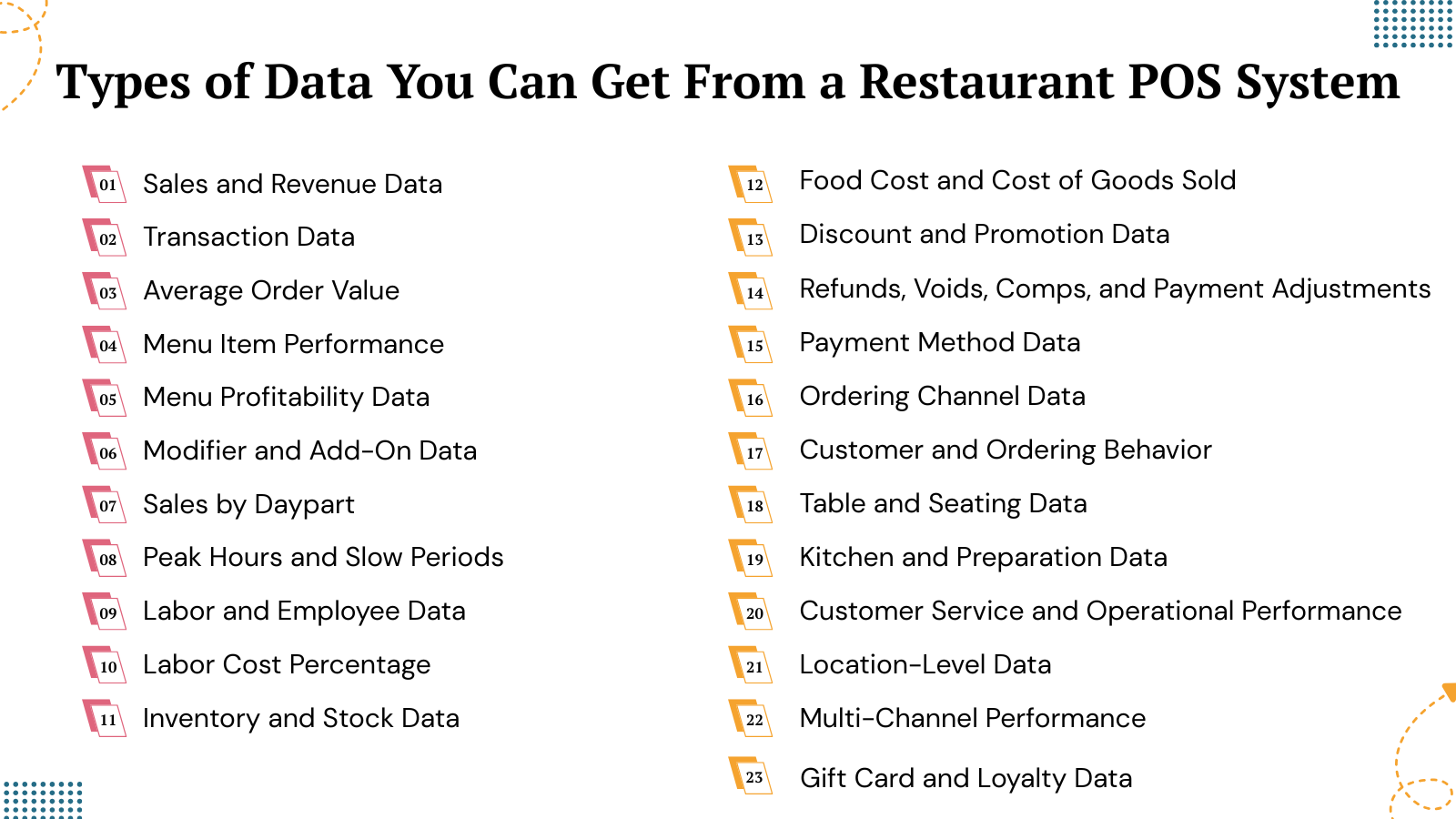
Types of Data You Can Get From a Restaurant POS System
1. Sales and Revenue Data
Sales data is one of the most important categories of data collected by a restaurant POS system. Every completed transaction can offer information about how much revenue the restaurant generates and where that revenue comes from.
Based on the POS system, sales data may include:
- Total sales
- Net sales
- Gross sales
- Number of transactions
- Average transaction value
- Average check size
- Sales by day
- Sales by hour
- Sales by shift
- Sales by menu category
- Sales by location
- Sales by ordering channel
All this data helps restaurant managers to understand overall financial performance. For instance, a restaurant may find that revenue is high during Friday evenings but quite less on Monday afternoons.
Then restaurant management can then further evaluate whether staffing, promotions, menu availability, or customer demand is responsible for such difference.
Sales data also offers the foundation for many other restaurant analytics metrics. By combining revenue with labor, food, inventory, and customer data, restaurant operators can go beyond simply knowing how much their food items were sold and start understanding how efficiently they generated those sales.
Also Read: Restaurant Sales Forecasting How to Predict Future Revenue
2. Transaction Data
A POS system collects detailed information about individual transactions like sales amounts, payment methods, items purchased, discounts, and timestamps.
This data provides valuable insights into daily operations, customer purchasing patterns, and overall business performance.
Transaction data can include:
- Transaction date and time
- Order value
- Items purchased
- Quantity ordered
- Discounts applied
- Taxes
- Service charges
- Payment method
- Refunds
- Voids
- Comps
- Tips
- Employee associated with the transaction
- Ordering channel
This information allows restaurants to analyze the details behind their overall sales numbers.
For instance, two restaurants may generate the same daily revenue but have very different transaction patterns. One restaurant may have a high number of smaller transactions, while another restaurant may have fewer transactions with higher average checks.
Analyzing transaction-level data helps restaurant operators to understand these differences and identify opportunities to increase order values, reduce unnecessary discounts, and improve transaction accuracy.
Important data points like revenue, check counts, average check size, refunds, comps, voids, and discounts offer valuable insights into overall restaurant performance.
Also Read: Two Way Data Analysis in Shaping Retail Businesses
3. Average Order Value
Also known as average transaction value measures the amount that customers usually spend per transaction.
Average Order value can be calculated by:
Average Order value = Total Sales/Number of Transactions
Tracking Average Order Value over time can help restaurants to determine whether their customers are spending more or less per visit.
Restaurants can use AOV data to evaluate strategies such as:
- Upselling
- Cross-selling
- Meal combinations
- Add-ons
- Premium menu options
- Beverage promotions
- Dessert recommendations
For instance, if the average order value increases when restaurants introduce a meal bundle, then management can analyze whether the promotion is contributing to higher customer spending.
Monitoring Average Order Value provides deeper insights when analyzed across different locations, dayparts, employees, menu categories, and ordering channels.
Also Read: A Complete Guide of Data Analytics for Restaurants
4. Menu Item Performance
Restaurant POS systems can provide detailed information about individual menu items.
Restaurant Operators can see:
- Units sold
- Revenue generated
- Sales percentage
- Category performance
- Modifier selections
- Popular combinations
- Item performance by location
- Item performance by daypart
It helps restaurants to identify best-selling and low-performing dishes.
High-performing food items can drive high revenue, while underperforming dishes may require repositioning, price adjustments, recipe modifications, or removal.
Menu performance data can also reveal unexpected customer preferences. A restaurant owner may assume that an expensive food item is the most important menu item, while POS data shows that customers purchase a lower-priced combination much more frequently.
Using actual sales data instead of assumptions can make menu planning more effective.
Also Read: Optimizing a Restaurant Menu With AI Powered Data Analytics
5. Menu Profitability Data
Sales volume alone does not determine whether a food menu item is profitable. A restaurant should also consider the costs associated with producing each dish.
POS and connected restaurant systems may combine:
- Selling price
- Ingredient costs
- Recipe costs
- Quantity sold
- Revenue
- Food cost
- Contribution margin
This metric allows restaurant operators to compare menu popularity with profitability.
For instance, a dish that sells 500 units may generate high revenue but have a relatively low margin. Another dish that sells 200 units may generate a stronger contribution after ingredient costs are considered.
Combining menu data, sales figures, and food and packaging expenses helps restaurants to identify revenue-generating items, high-cost products, and dishes that contribute most to overall profits.
Such type of analysis can help restaurant owners and managers to implement better pricing, menu engineering, promotions, and product decisions.
Also Read: Restaurant Profit Margin Analytics Tool to Boost Profits
6. Modifier and Add-On Data
Customers often customize restaurant orders by adding, removing, or substituting ingredients.
POS systems can record information about:
- Extra toppings
- Side substitutions
- Beverage upgrades
- Add-ons
- Special instructions
- Ingredient removals
- Portion modifications
When restaurants analyze modifiers, they can reveal opportunities for additional revenue. For instance, if customers frequently add premium toppings to a particular food item, the restaurant may promote that customization more prominently.
Modifier data can also help kitchens to understand customer preferences and identify ingredients that are frequently requested or removed. Menu item and modifier data can capture add-ons, extras, substitutions, and other customer-requested changes made to individual food orders.
Also Read: How Does Data Analytics Helps Restaurants Grow
7. Sales by Daypart
A restaurant POS system can break sales into different periods like:
- Breakfast
- Lunch
- Afternoon
- Dinner
- Late night
This is known as daypart analysis.
Daypart data helps restaurant operators to understand when revenue is generated and how performance changes throughout the day.
For instance, a restaurant may find that dinner generates most of its revenue while afternoon customer traffic remains weak. Management could then test an afternoon promotion, adjust staffing, or introduce a targeted menu.
Restaurants can combine daypart and labor data to determine whether staffing levels align with customer demand. Comparing labor expenses with net sales across different dayparts helps restaurants to evaluate profits and identify how performance changes throughout the day.
Also Read: The Future of Restaurant And Retail Decision Intelligence
8. Peak Hours and Slow Periods
POS systems can identify the busiest and slowest hours of restaurant operation.
Restaurants can analyze sales by:
- Hour
- Day
- Day of week
- Week
- Month
- Season
This information helps restaurant managers to understand customer demand patterns.
During peak periods, restaurants may need:
- Additional employees
- More food preparation
- Faster kitchen coordination
- Increased inventory availability
- More payment terminals
During slower periods, restaurant managers may reduce staffing, adjust food preparation levels, or introduce targeted promotions.
Analyzing hourly sales patterns can reveal recurring peak and slow hours, helping restaurants to improve staffing, food preparation, employee training, and promotional strategies.
Also Read: How Data Analytics Improve the Measurement of Employee Performance
9. Labor and Employee Data
Restaurant labor can represent an important operating cost, which makes labor data a crucial part of POS analytics.
Based on integrations, restaurants may track:
- Employee clock-in and clock-out times
- Hours worked
- Shift duration
- Sales per employee
- Sales per labor hour
- Labor cost
- Labor cost percentage
- Overtime
- Employee sales
- Transaction counts
- Voids and discounts by employee
Managers can compare labor performance with sales demand to identify if there is overstaffing or understaffing. If labor expenses are unusually high during slow periods, schedules may need adjustment. If customer demand is high but staffing is insufficient, then service quality may suffer.
Employee performance reports can track net sales, check counts, average check size, and deviations from average, while labor reports can reveal scheduling inefficiencies and areas where additional training may be needed.
Also Read: Performance Metrics Every Restaurant Owner Must Track
10. Labor Cost Percentage
Labor cost percentage is an important restaurant metric that reveals how much of a restaurant’s sales revenue is spent on employees wages and related labor expenses.
Tracking this percentage helps restaurant operators to evaluate staffing efficiency and understand the way labor affects overall profitability.
This metric can be analyzed across different areas to identify patterns and opportunities for improvement:
- Locations: It involves comparing staffing efficiency between restaurants.
- Days and weeks: It involves identifying periods with high labor expenses.
- Dayparts: It involves evaluating labor needs during breakfast, lunch, dinner, or late-night hours.
- Departments: It involves comparing labor expenses across different operational areas.
- Months: It involves tracking longer-term changes and seasonal trends.
Restaurants should set their labor cost targets based on their business model, location, staffing needs, and overall operating structure. Regular tracking makes it easier to identify inefficiencies and adjust schedules while maintaining service quality.
Also Read: Cost-Effective AI Solutions for Restaurants
11. Inventory and Stock Data
Restaurant POS systems can also connect with inventory management systems to track the way ingredients move through the business.
Inventory information may include:
- Current stock levels
- Ingredient usage
- Purchase quantities
- Inventory turnover
- Cost of goods
- Waste
- Spoilage
- Restock alerts
- Inventory variance
- Supplier information
With this data restaurants can avoid both stock shortages and excessive purchasing of ingredients.
If an ingredient frequently runs out of stock, then restaurant managers may need to adjust their ordering levels. If large quantities of ingredients remain unused, purchasing patterns may need to change.
Inventory reports help restaurants to maintain optimal stock levels, reduce food waste, improve purchasing decisions, and track important supplier information.
Also Read: AI for Restaurant Inventory
12. Food Cost and Cost of Goods Sold
Restaurants can combine POS and inventory data to track food expenses and understand how ingredients affect profitability. Important metrics include ingredient expenses, recipe expenses, cost of goods sold, food cost percentage, actual usage, theoretical usage, food wastage, and food spoilage.
Comparing actual ingredient consumption with expected usage can help restaurants identify unexplained variances and potential cost-control issues.
For instance, if a restaurant purchases 100 units of an ingredient but sales indicate that only 70 units should have been used, then the 30-unit difference may indicate an operational issue.
Common causes of discrepancies include:
- Waste: If ingredients may be wasted during food preparation or service.
- Over-portioning: If employees may use more ingredients than recipes require.
- Recipe errors: If there are incorrect ingredient quantities can affect usage calculations.
- Spoilage: If there is poor storage or expired products can increase losses.
- Theft: Any missing inventory may indicate unauthorized removal.
- Recording errors: Incorrect entries can create inaccurate inventory figures.
When restaurants regularly analyze food cost and cost of goods sold then restaurants can control expenses, reduce food waste, and improve profitability.
Also Read: How to Calculate Food Cost Percentage
13. Discount and Promotion Data
Discounts can increase customer traffic, but if restaurants offer excessive discounting then it can reduce profitability.
A restaurant POS can track:
- Discount amount
- Discount frequency
- Discount reason
- Discounted menu items
- Employee applying the discount
- Number of discounted transactions
- Average discount value
Managers can use this information to find whether their promotions are generating enough profits.
For instance, a restaurant may find that one promotion increases transaction volume but gives very less additional profit. Another promotion may generate fewer transactions but significantly improve average order value.
Discount reports can track total discount amounts, the total number of discounts applied, average discount values, discount reasons, menu items, quantities, and employees.
Also Read: AI for Restaurant Marketing for Maximum Conversions
14. Refunds, Voids, Comps, and Payment Adjustments
POS systems capture various transactions that can reduce, reverse, or modify reported sales. Reviewing these adjustments alongside gross sales provides restaurant managers a clearer understanding of actual revenue and operational performance.
Important categories to monitor include:
- Refunds: It involves identifying returned payments and their impact on revenue.
- Voids: It involves tracking cancelled transactions or items before completion.
- Comps: It involves measuring complimentary items or orders provided to customers.
- Cancelled orders: Identify transactions removed before payment.
- Discounts: Evaluate how promotions and price reductions affect sales.
- Price adjustments: Monitor changes made to standard menu prices.
A restaurant can achieve high gross sales while its actual revenue is reduced by refunds, discounts, and complimentary orders. Analyzing these adjustments regularly helps managers to identify unusual patterns, control unnecessary losses, and make more informed financial decisions.
Also Read: Fast Food Accounting Software
15. Payment Method Data
A POS system can record how customers pay.
Based on the system and market, payment information may include:
- Credit cards
- Debit cards
- Cash
- Digital wallets
- QR payments
- Gift cards
- Other supported payment methods
Payment method data can help restaurants to understand customer payment preferences and reconcile transactions.
Payment data can offer valuable insights about how customers pay across different locations and ordering channels. Restaurants can compare payment patterns to identify preferred methods, transaction patterns, and potential operational differences.
Modern POS systems can support multiple payment options while connecting payment processing with broader restaurant operations. Such integration helps businesses to make transactions smooth, improve payment tracking, and give managers a clearer view of revenue across locations and sales channels.
Also Read: How AI is Improving Table-Turnover Rate in Restaurants
16. Ordering Channel Data
Modern restaurants use multiple ordering channels to reach customers and generate sales. POS systems can organize transactions by channel, which makes it easier for managers to understand where orders originate and how each source performs.
Common ordering channels include:
- Dine-in: Orders placed and served within the restaurant.
- Takeout: Customers purchase meals for pickup.
- Online ordering: Customers placing orders through the restaurant’s website.
- Delivery: Food meals delivered directly to customers.
- Mobile ordering: Orders placed through mobile apps.
- Kiosks: Customers order through self-service devices.
- Catering: Large orders for events and groups.
- Third-party marketplaces: Orders received through external platforms.
Comparing channels needs more than looking at sales. Managers should also consider commissions, packaging expenses, discounts, and labor requirements.
Evaluating revenue along with these costs offers a complete picture of each channel’s actual profits and helps restaurants to allocate resources more effectively.
Also Read: Mobile Marketing for Restaurants
17. Customer and Ordering Behavior
When integrated with customer relationship or loyalty systems, restaurant technology can offer information regarding customer behavior.
Possible data points include:
- Visit frequency
- Order frequency
- Average spend
- Favorite menu items
- Preferred ordering channel
- Purchase history
- Loyalty activity
- Promotion response
This information can help restaurants to understand customer segments. For instance, customers who frequently purchase a particular food combination may respond well to targeted promotions involving those products.
CRM and loyalty systems can store customer details, track customer visit history, and support the management of loyalty programs.
Also Read: How to Improve Customer Satisfaction in Restaurants
18. Table and Seating Data
Full-service restaurants can use POS and table management systems to track:
- Table occupancy
- Table status
- Seating times
- Table turnover
- Wait times
- Reservation information
- Guest counts
This data can help restaurant managers to understand how efficiently dining space is being used.
For instance, if tables remain occupied for unusually long periods during busy hours, the restaurant may have limited capacity even when customer demand is high.
Table turnover data can therefore provide useful operational context along with sales data. Restaurants can assess table turnover speed along with daypart performance and promised service times to better understand operational efficiency.
Also Read: How AI is Improving the Table Turnover rate in Restaurants
19. Kitchen and Preparation Data
A POS system integrated into a Kitchen Display System(KDS) can offer information about kitchen performance.
Data may include:
- Order preparation times
- Order completion times
- Kitchen workload
- Delayed orders
- Order status
- Preparation performance
- Delivery or pickup timing
This information helps managers to understand whether kitchen operations are keeping pace with their customer demand. For instance, if order preparation times increase during a particular daypart, management can evaluate staffing, menu complexity, equipment capacity, or order volume.
KDS data helps restaurants to track food preparation and delivery times while evaluating kitchen performance. Integrated POS-to-kitchen workflows can automatically route orders to kitchen displays and synchronize status updates, improving communication between front house and kitchen teams while supporting faster, more accurate order fulfillment.
Also Read: AI Solution for Reducing Restaurant Waste
20. Customer Service and Operational Performance
POS information can help restaurant managers to connect operational performance with customer experience.
For instance, restaurants can compare:
- Service speed
- Transaction volume
- Staff performance
- Customer feedback
- Sales
- Order accuracy
This makes it possible to evaluate customer relationships that may otherwise remain hidden. If a location has strong sales but declining customer ratings, then management may need to examine service speed, staffing, order accuracy, or kitchen performance.
This is where combining POS data with other restaurant data becomes particularly valuable.
Also Read: Customer Analytics for Restaurants
21. Location-Level Data
To manage multi-location restaurants, restaurant owners need more than individual store reports.
A centralized POS or analytics platform can help compare:
- Revenue by location
- Average check
- Labor cost
- Food cost
- Menu performance
- Inventory usage
- Customer traffic
- Promotions
- Operational performance
Managers can compare restaurant locations to identify high-performing locations and underperforming locations and understand the differences for performance differences.
When restaurant owners have real-time visibility and customized dashboards makes it easier to analyze certain metrics and trends. For restaurant groups and franchises, comparisons based on location-level can reveal operational inconsistencies, highlight areas requiring improvement, and support data-driven decisions that strengthen performance, efficiency, and consistency across locations.
Also Read: Customer Sentiment Analysis for Multi-Location Business
22. Multi-Channel Performance
More restaurants increasingly operate across physical and digital channels.
A POS system can help combine data from:
- In-store sales
- Online ordering
- Delivery
- Mobile ordering
- Kiosks
- Catering
- Other connected channels
Analyzing all these sources can reveal how customers move between channels.
For instance, a restaurant may find that online orders increase during certain periods while dine-in traffic declines. Management can then examine whether these changes indicate genuine growth, channel substitution, or differences in customer behavior.
Modern restaurant POS systems integrate data from various sales channels, which includes terminals, tablets, kiosks, and online ordering systems, which enables centralized reporting and a more detailed view of restaurant operations.
Also Read: The Role of Automation in Restaurants Improving Efficiency and Services
23. Gift Card and Loyalty Data
Restaurants offering gift cards and loyalty programs can gather additional customer information.
This may include:
- Gift card purchases
- Gift card redemptions
- Loyalty visits
- Rewards earned
- Rewards redeemed
- Customer spending
- Frequently purchased items
These insights help restaurants to create more targeted marketing campaigns based on customer behavior. For instance, businesses can identify customers who have not visited recently and provide personalized promotions to encourage repeat visits.
Loyalty reports can analyze visit frequency, customer spending patterns, and purchased items, enabling restaurants to segment customers effectively, personalize offers, strengthen customer engagement, and improve customer retention over time.
Conclusion
A restaurant POS system offers more than basic sales data. It can collect valuable data on revenue, transactions, average order value, menu performance, labor expenses, inventory, food expenses, discounts, refunds, payment methods, ordering channels, and customer activity.
When these data points are analyzed together, then restaurant operators can better understand what is driving revenue, where costs are increasing, and which areas require attention.
The true benefit lies in converting raw POS data into meaningful insights that can guide smarter business decisions. Platforms like Livelytics can help restaurants to organize and analyze operational data, making it easier to identify trends, compare performance, and support data-driven decisions.
Restaurants can use these insights to improve staffing, optimize menus, reduce food waste, track costs, and strengthen customer experiences.
Instead of focusing on a single metric, restaurant operators should review multiple performance indicators and compare them over time. With consistent analysis and the right technology, POS data can become a powerful resource for improving efficiency, profitability, and long-term restaurant growth.
If you still have any query about what data you can get from a restaurant POS system then book a free demo at Livelytics and we are more than happy to assist you.